
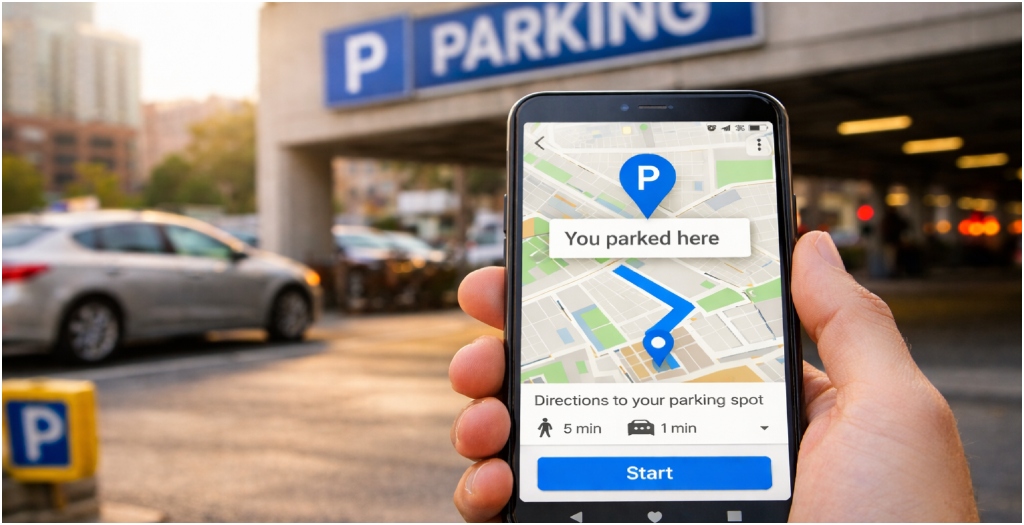
Patna: For many people, forgetting where they parked their car is a common and frustrating experience. After returning from shopping, office work or a crowded event, every road and parking row can look the same. Searching for a vehicle in a large parking area can waste time and cause unnecessary stress. However, Google Maps offers a practical solution to this everyday problem. Apart from showing routes, traffic updates and travel time, the app also allows users to save their parking location easily.

On Android devices, the process is straightforward. After parking, users simply open Google Maps and tap the blue dot that shows their current location. From the menu that appears, they select the “Save parking” option. The app then marks the location on the map and saves it for several hours. When it is time to return, users can type “Parking” in the search bar, choose the saved spot and tap “Directions” to get step-by-step guidance back to their vehicle.
For iPhone and iPad users, the steps are almost the same. After tapping the blue location dot, they can select “Saved Parking”, and a pin labelled “You parked here” will appear on the map. On Apple devices, this location remains saved for up to 48 hours. Users can also adjust the pin by selecting “Change location”, remove it by tapping “Clear”, or share the parking spot with others using the “Share” option.

In some cities in the United States, Google Maps also shows nearby parking options before users reach their destination. This includes public parking lots, garages and marked parking spaces. While the app does not allow reservations, it helps drivers plan ahead and reduce last-minute confusion.
As cities grow more crowded and parking becomes more difficult, such small digital features can make daily travel easier and less stressful for drivers.